
Dedicated Domain Configurations [ LC Email ]
This article will show how you can set up your dedicated sending subdomain configurations to assign different subdomains to be used for emails that are sent through different sections of your FG Funnels account.
Important: This feature is only available for LC Email.
Content:
How to Access the Dedicated Domain Configuration Settings?
Assigning Dedicated Domains
Each of the dedicated sending subdomains that you connect to your FG Funnels account can be assigned to different sections of your account.
Currently domains can be assigned to:
- Calendar
- Payments
- One-One Conversation ( For emails sent from the "Conversations" section of your account, and one-off emails sent directly from the contact record )
- Bulk Emails ( For emails sent from the "Contacts" section of your account )
- Email Campaigns ( in the Marketing > Emails section of your account)
- Workflow
- Client Portal Notifications
-
Client Portal OTP Domain
The Default Dedicated Domain will be used for all other emails.
Important: A maximum of 5 domains can be assigned to a single type.
How to Access the Dedicated Domain Configuration Settings?
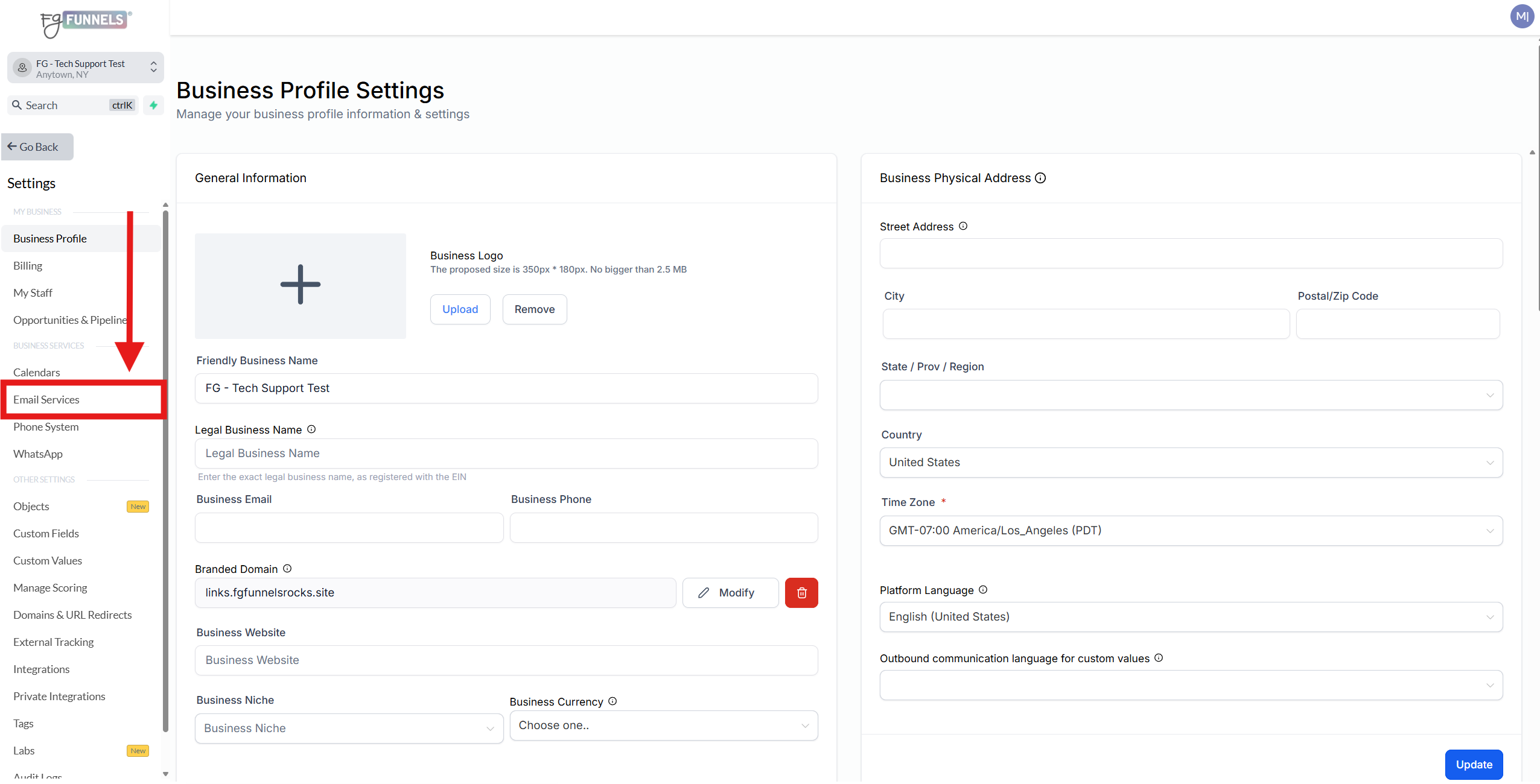
1) Click on Settings in the bottom left hand corner.

2) Go to Email Services
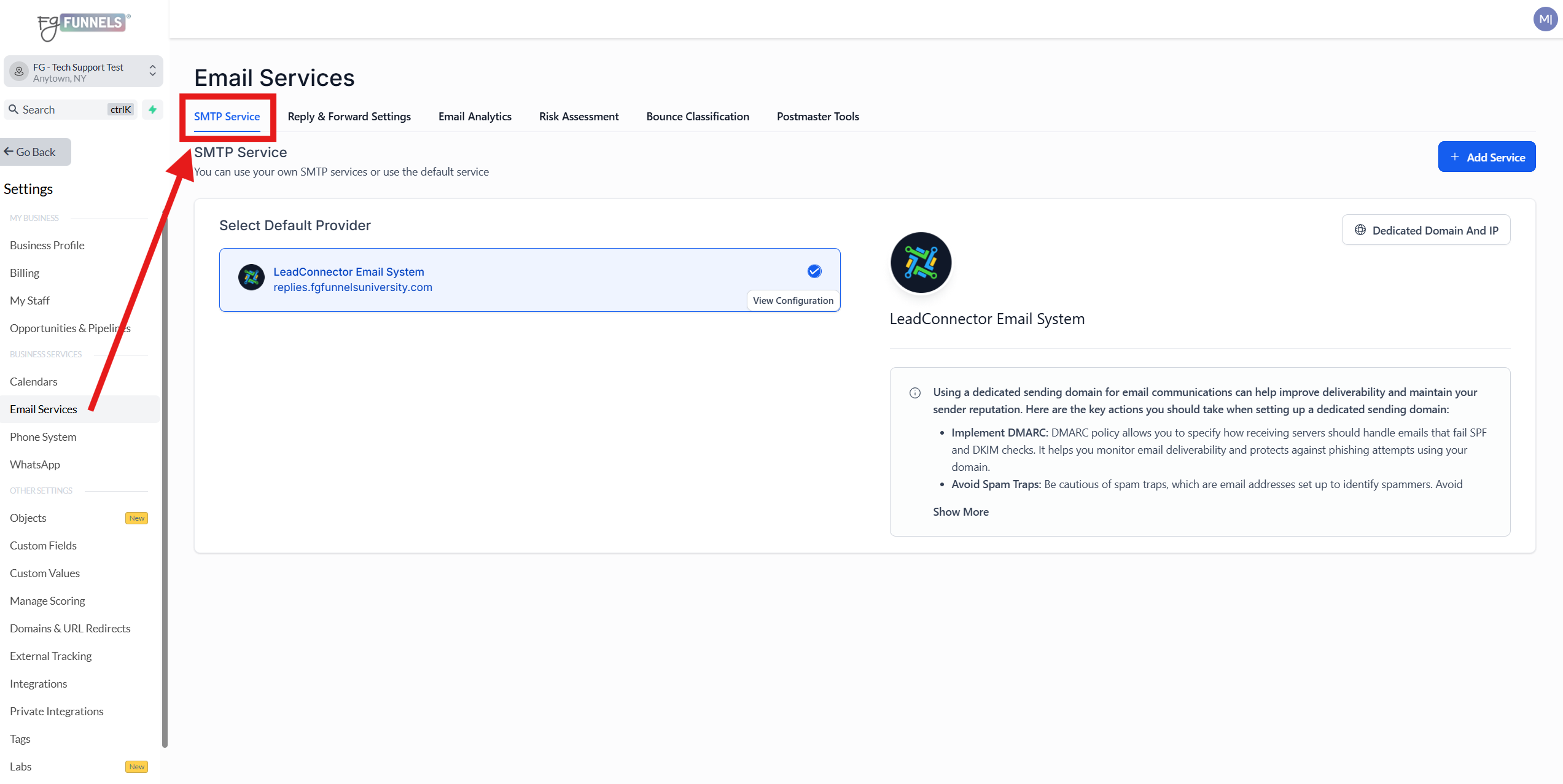
3) You'll automatically be on the "SMTP Service" tab.
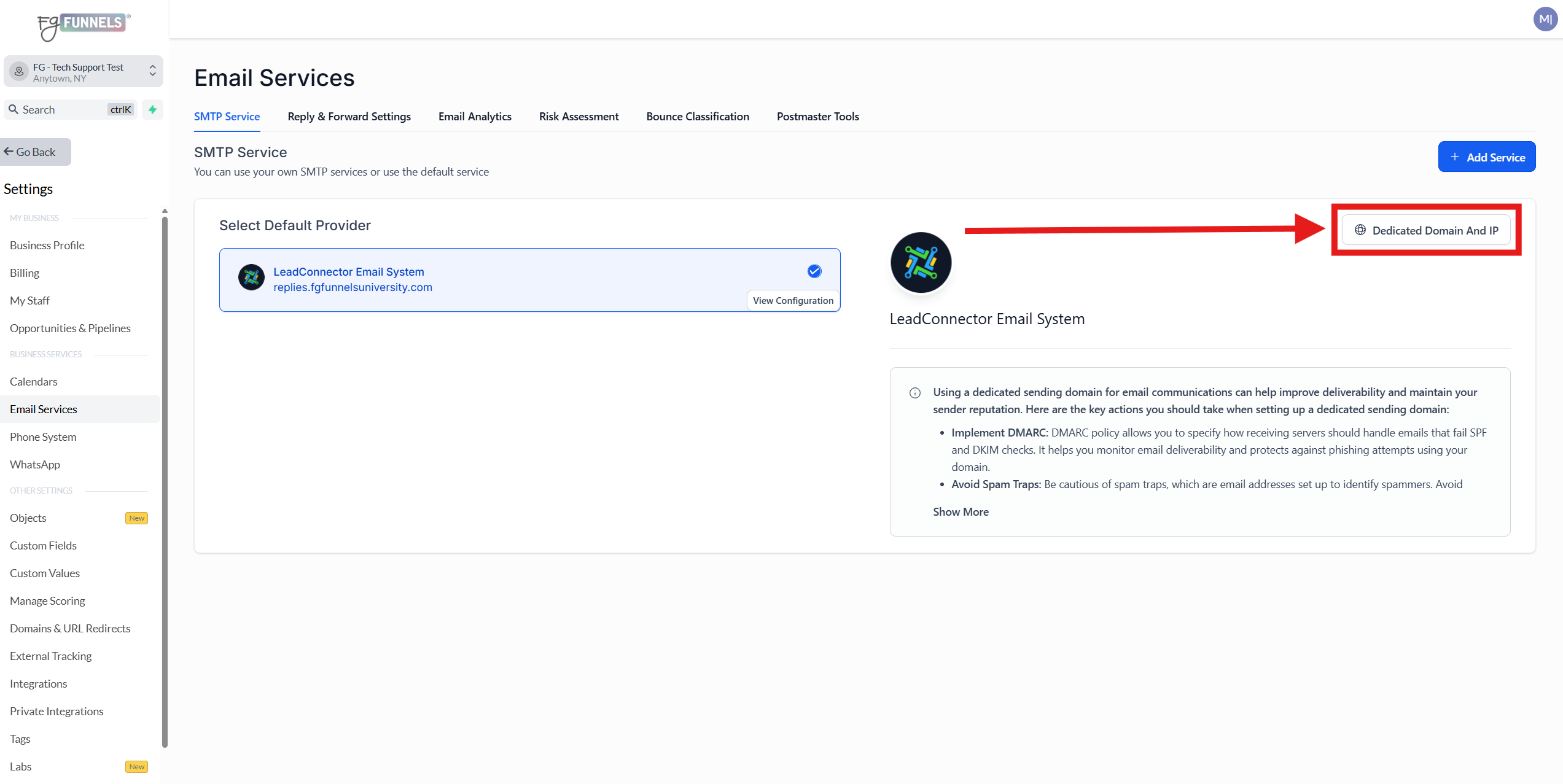
4) Click on the Dedicated Domain and IP button on the right side of the screen.
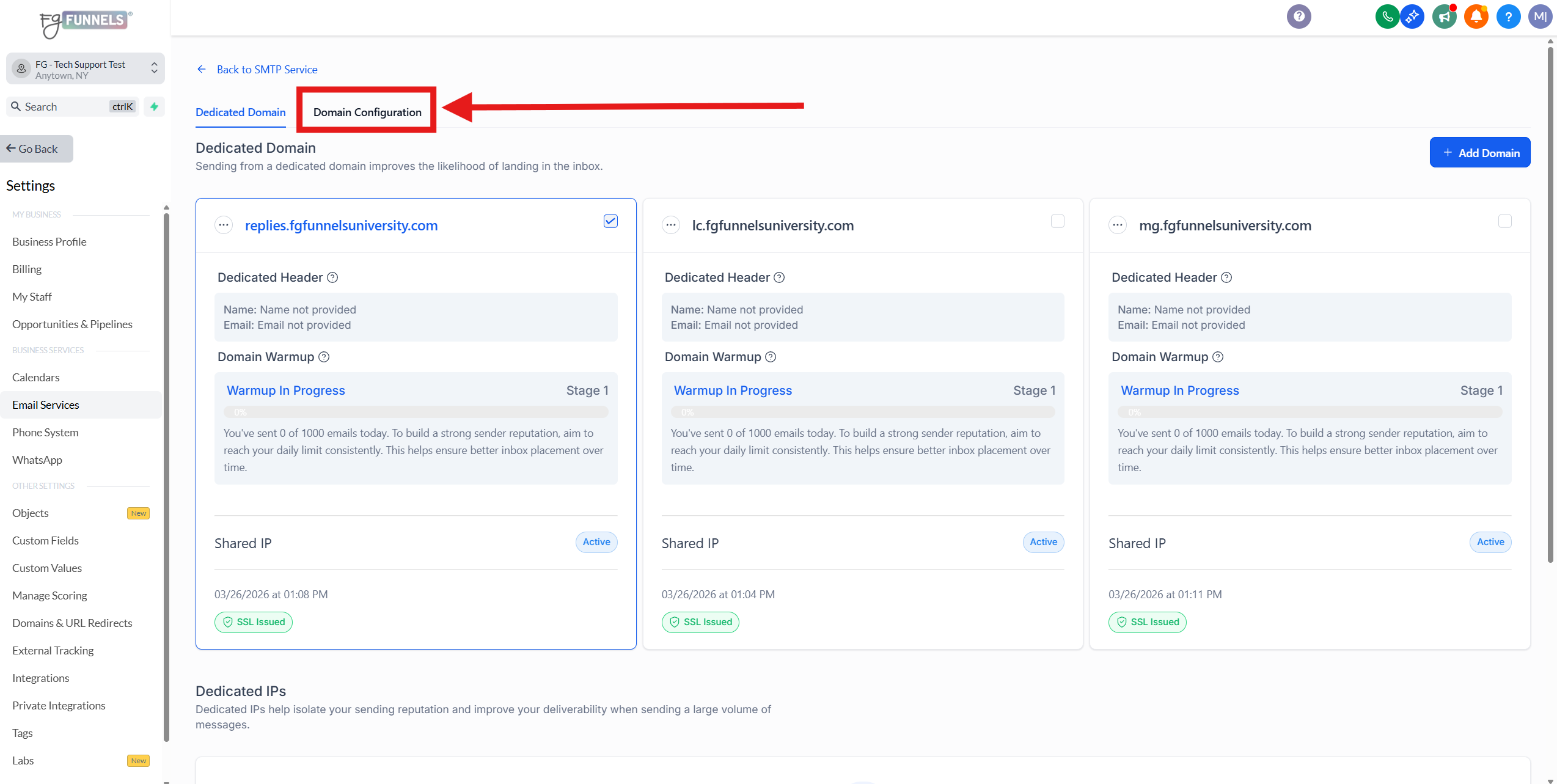
5) Click on the "Domain Configuration" tab at the top.
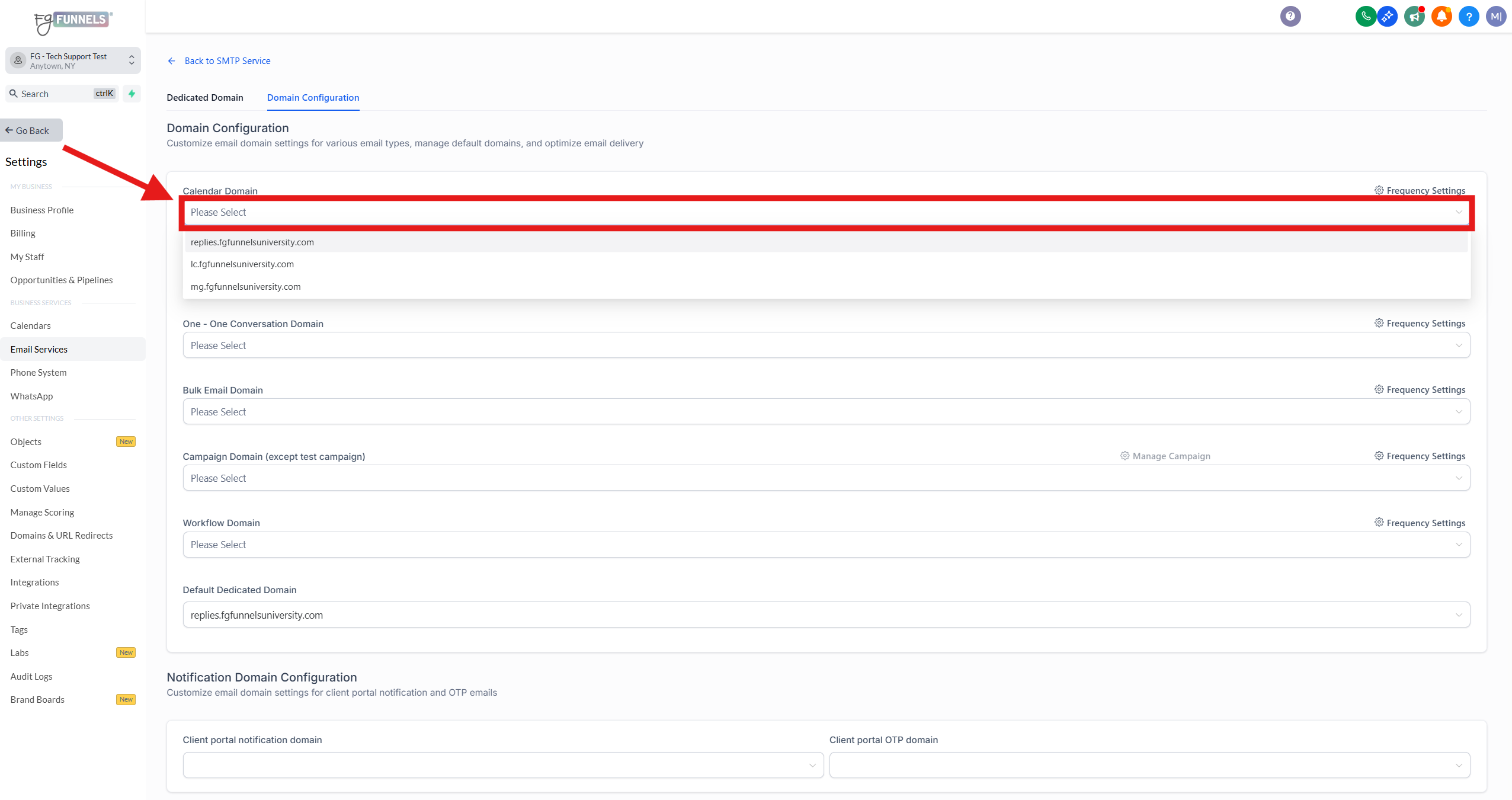
6) In the "Domain Configuration" you can click on the dropdown menu for each section to select your preferred dedicated sending subdomain(s).
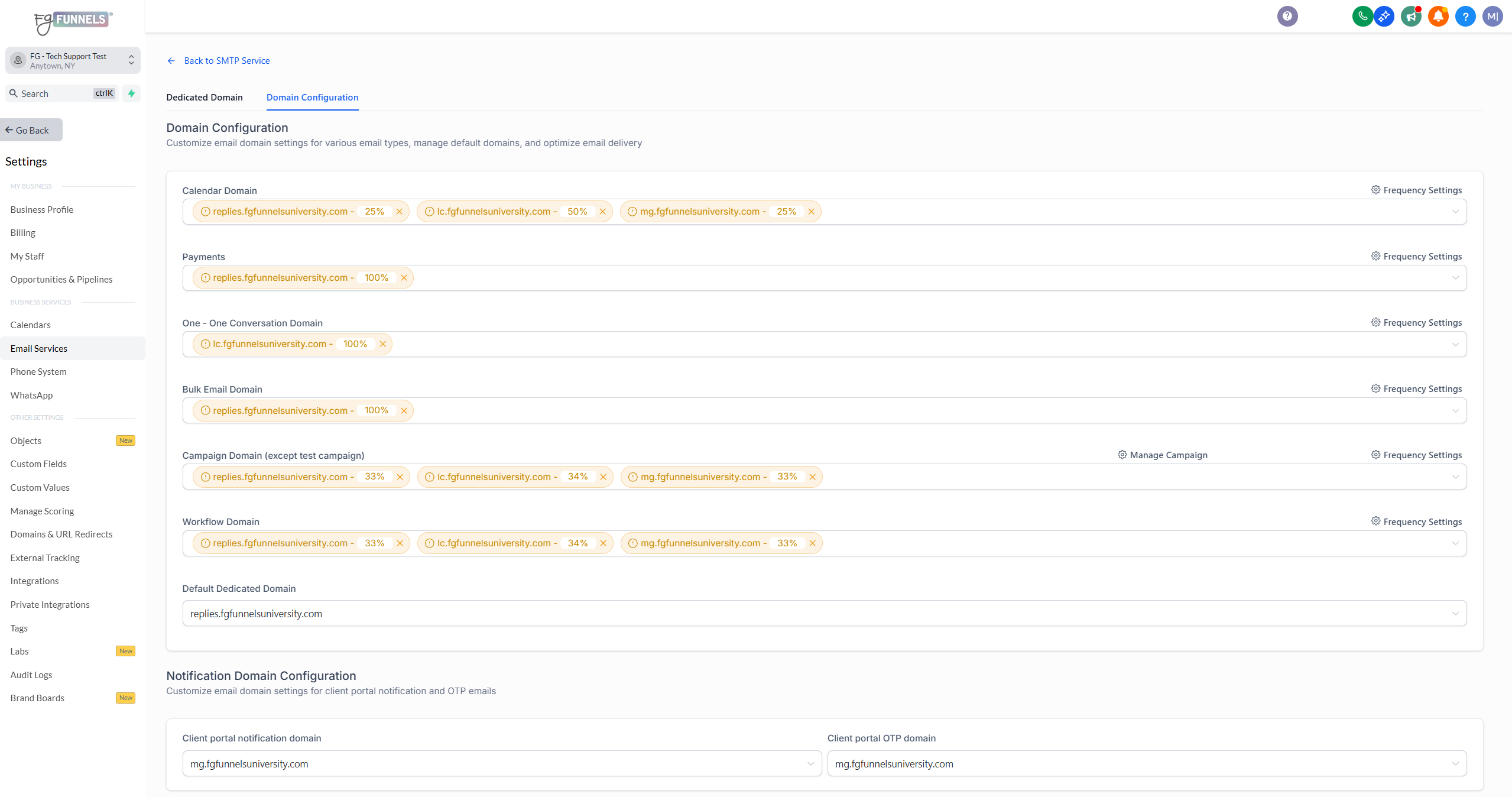
7) Once two or more dedicated sending subdomains are selected from the dropdown menu, you can set a percentage-based distribution across the dedicated sending subdomains.
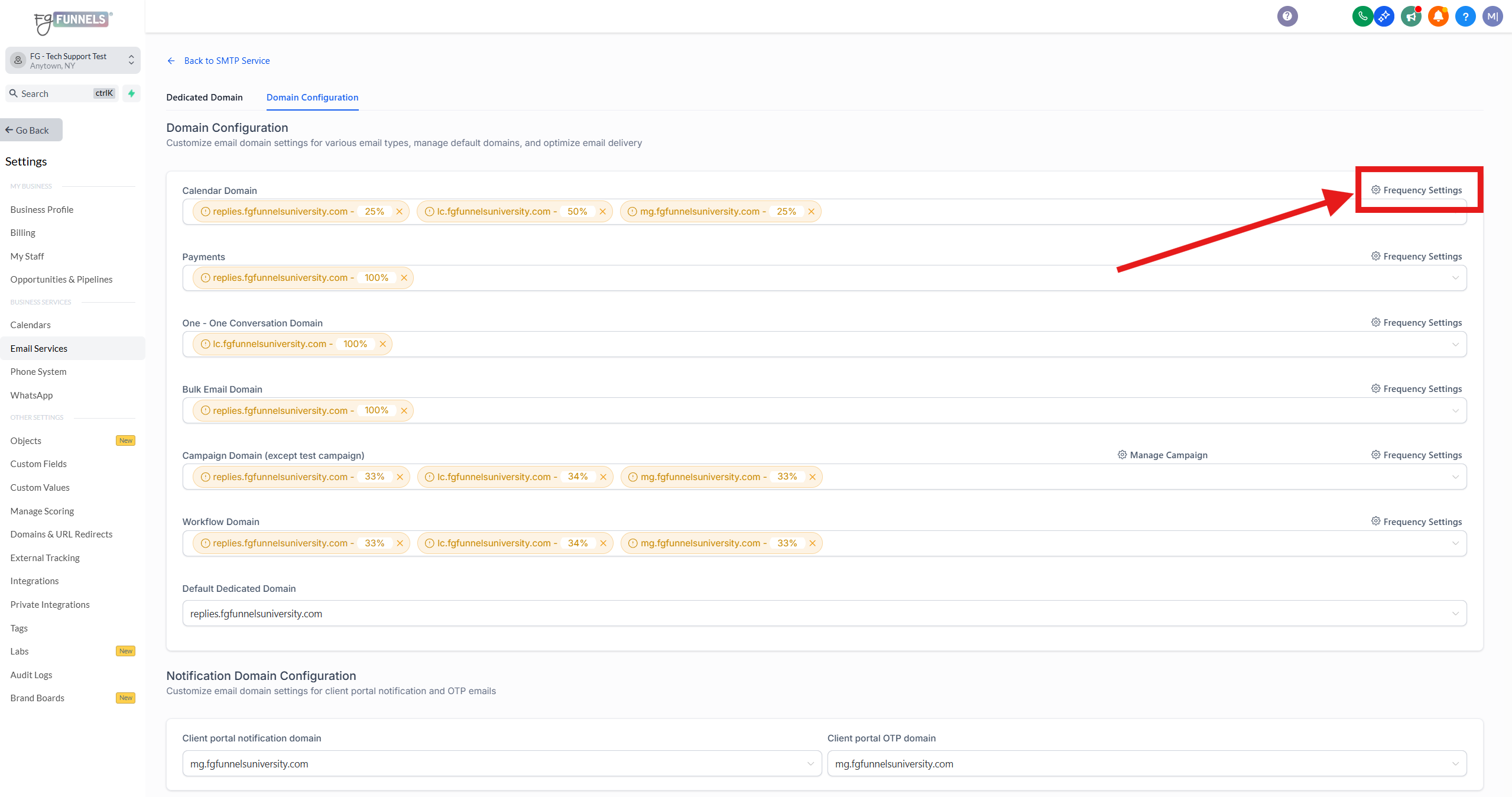
8) Click on the the text the says "Frequency Settings" to set your preferred allocation percentages for each dedicated sending subdomains for each of the different section of your account.
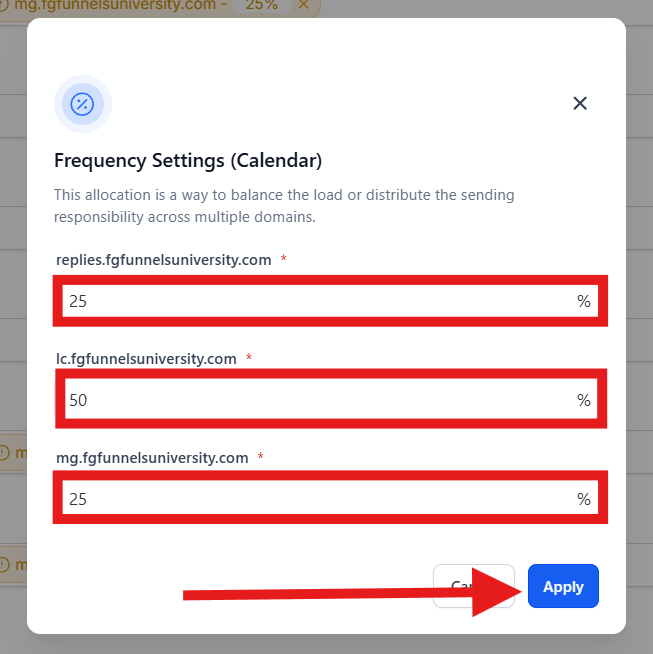
9) You can set your preferred percentages then click the "Apply" button.
FAQ
Q: Can I choose to use a different dedicated email sending subdomain with each of the email campaigns that I send under Marketing > Emails > Campaigns?
Answer: Yes
Q: Can I choose to use a different dedicated email sending subdomain with each of the workflows that I create?
Answer: No, not at this time. This is on the development team's roadmap though. To stay informed about new features and improvements, I recommend checking our Weekly Release Notes, where we announce the latest updates to our system.