
How to Transfer Your Highlevel Sub-account to FG Funnels
If you're looking to move one of your sub-accounts over to FG Funnels, the process is straightforward and can be completed in just a few steps from your Agency Level Dashboard. This guide will walk you through exactly how to initiate a transfer request, what information you'll need, and how to track the status of your request once it's been submitted.
⚠️Important
- Once your HighLevel sub-account is transferred to FG Funnels, it will be permanently removed from the agency it is currently associated with.
- Please be aware that after the transfer, the sub-account cannot be moved to a different HighLevel agency in the future. This action is irreversible.
ℹ️ Please Note: Once you submit the transfer request, it will need to be approved on our end before the sub-account officially moves over. Transfer requests are typically processed within 1 business day.
Steps to Transfer a Sub-Account (Send):
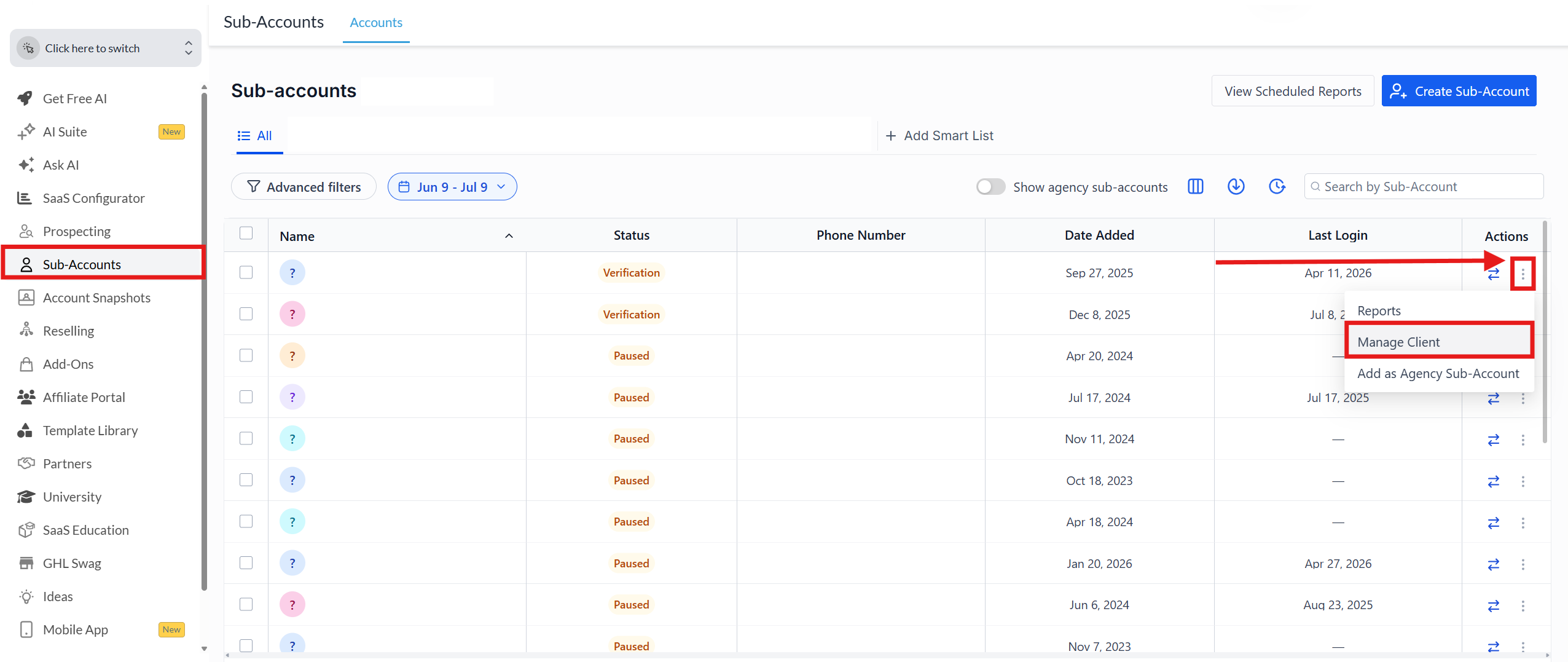
- Go to your Agency Level Dashboard.
- Click on "Sub-Accounts" in the left side menu.
- In the search field, enter the name of the sub-account you'd like to transfer.
- Click the 3 dots to the right of the sub-account.
- Select "Manage Client."
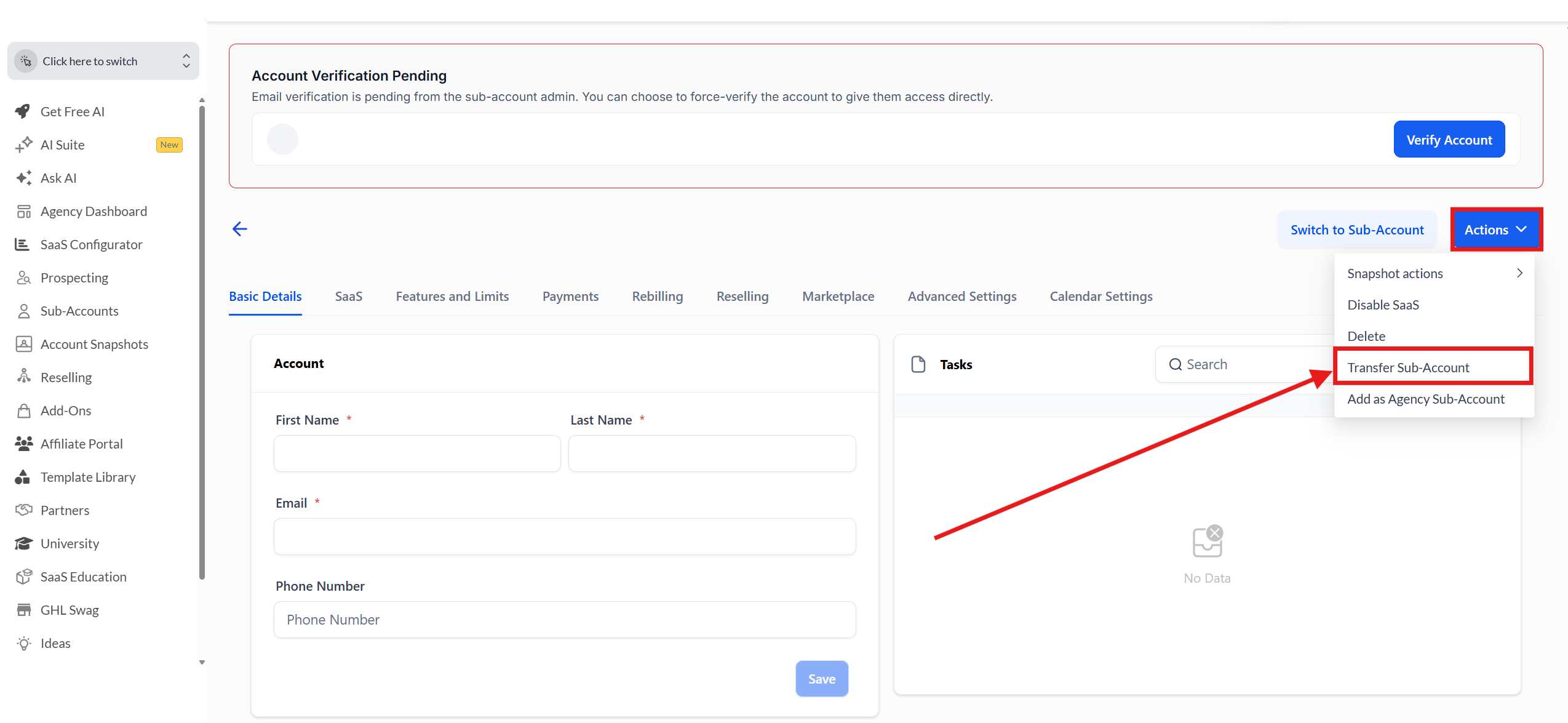
- Click the blue "Actions" button on the right.
- Select "Transfer Sub-account" from the dropdown menu.
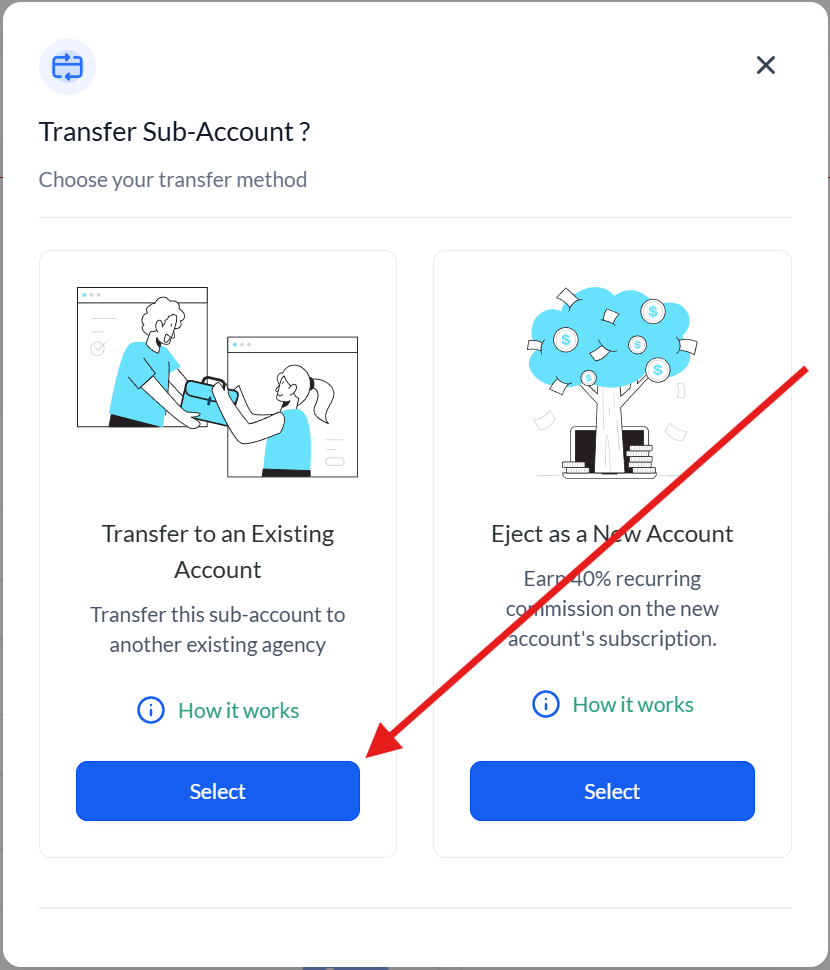
- Click the blue "Select" button for the "Transfer to an Existing Account" option.
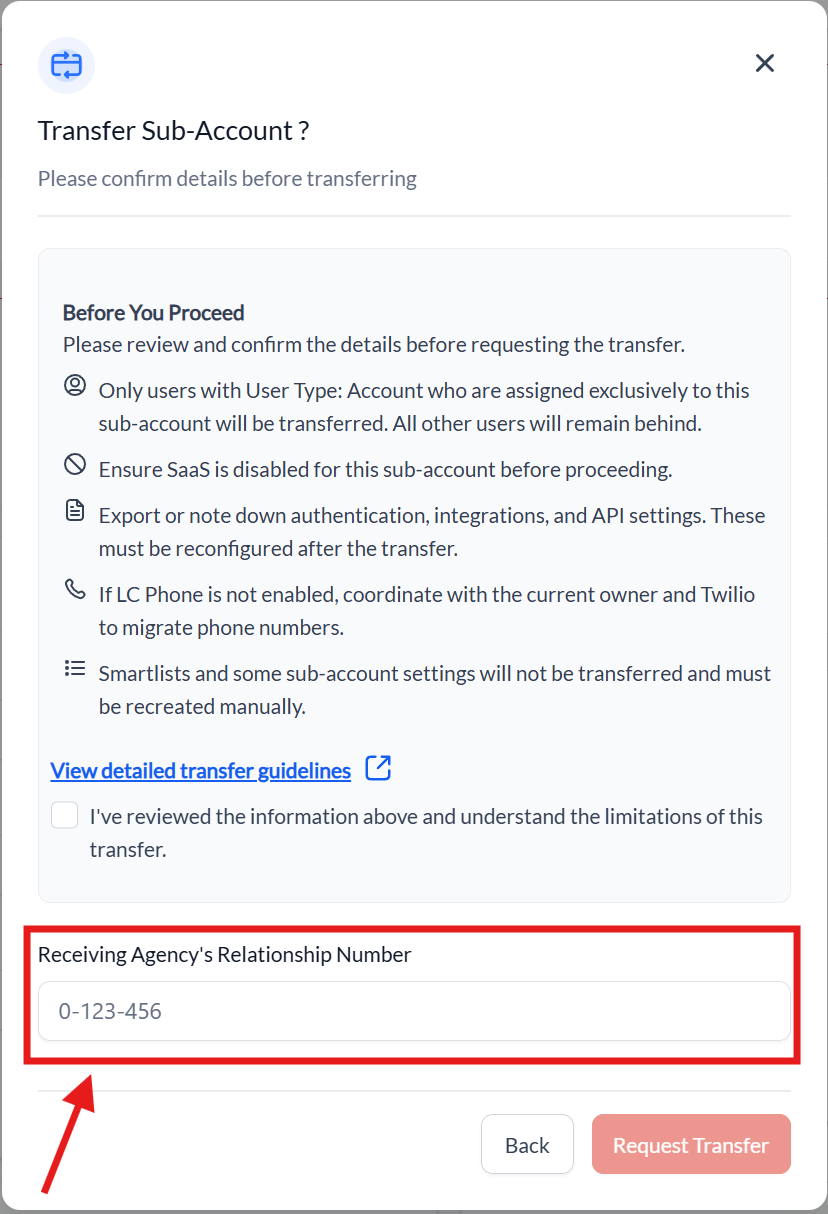
- Enter the Relationship Number of the receiving agency (FG Funnels).
[[ Please email us at support@fgfunnels.com for the FG Funnels Relationship Number.]]
Once you confirm, a request will be sent to the receiving agency (FG Funnels). The sub-account will transfer as soon as the request is approved on our end. We usually process all sub-account transfers that we receive within 1 business day.
To Track Your Transfer Request: Go to Agency Level Dashboard > Sub-Accounts > Sub-Account Transfers > Send tab.