
Workflow Triggers for Product Viewed and Added to Cart
FG Funnels can capture what shoppers do before they buy, in FG Funnels Ecommerce Stores and connected Shopify stores, and use that activity to start workflows.
In this article
Workflow Triggers for Product Viewed and Added to Cart
The Product viewed and Add products to cart workflow triggers let you follow up based on shopper intent before a purchase is complete. These triggers don't wait for an order or an abandoned checkout. They respond to earlier shopping activity in Shopify and FG Funnels Ecommerce Stores.
You'll find both in the workflow trigger list under Ecommerce stores. Both triggers support filters, so you control which shopper events qualify. You can build focused automations around product, store, cart value, checkout status and other supported conditions.
Important: FG Funnels Ecommerce Stores need no extra setup. For Shopify, your store must be connected to FG Funnels with the required Web Pixel installed. If needed, follow How To Integrate FG Funnels With Shopify to connect or reconnect your store.
Note: Your existing Abandoned Checkout workflows aren't affected by these triggers.
Product Viewed Trigger
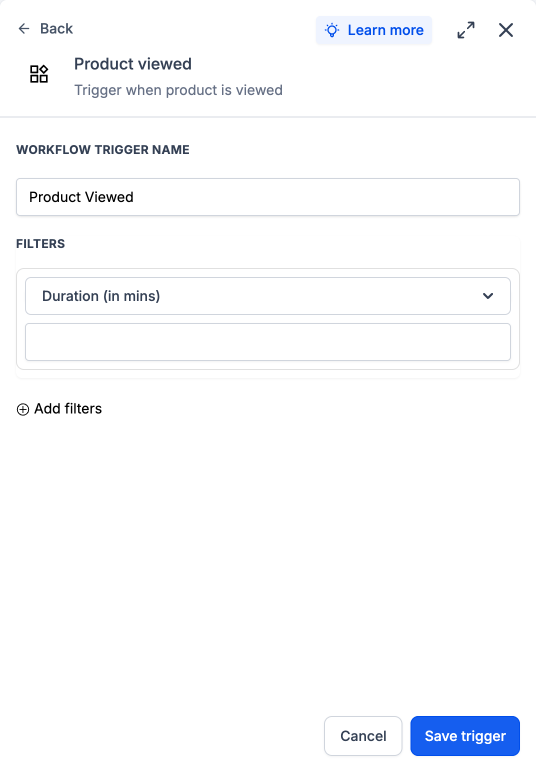
Use the Product viewed trigger to build pre-purchase workflows around the products shoppers look at.
When an identified shopper views a product, that activity can start a workflow before they add the item to their cart or buy it. This works well for product-interest follow-up, such as email or SMS automations tied to specific products or stores.
You can filter qualifying activity by duration, store, product and order source.
Add Product to Cart Trigger
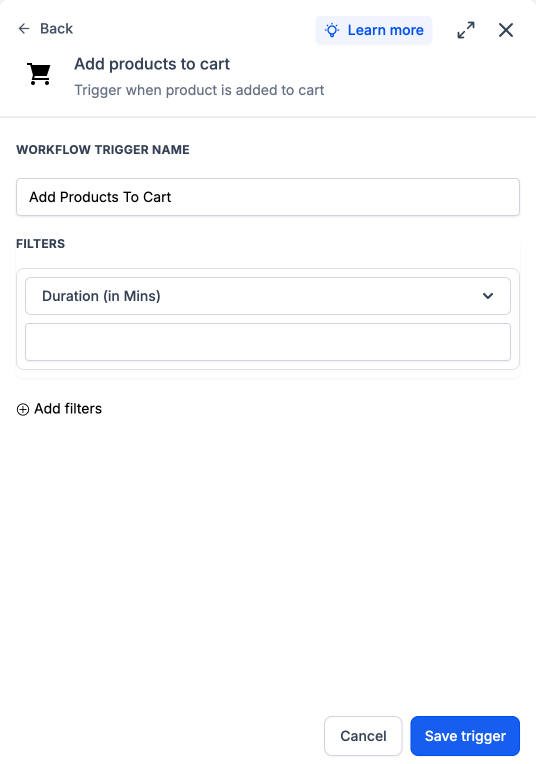
Use the Add products to cart trigger to build pre-purchase workflows around shoppers who have already added a product to their cart.
Adding to cart happens later in the buying journey than viewing a product, so it signals stronger purchase intent. Use it to follow up before the shopper completes checkout.
You can narrow these workflows with cart-specific conditions, and filter qualifying activity by duration, store and checkout status.
How Identity-Based Activity Association Works
A shopper can view products or add them to their cart before FG Funnels knows which contact they are. FG Funnels tracks supported activity anonymously for a while, then links it to a contact once the shopper identifies themselves.
Here's how it works:
- A shopper views a product or adds a product to their cart.
- If the shopper isn't identified yet, the activity is tracked anonymously.
- Later, the shopper identifies themselves, for example by logging in or checking out.
- Earlier supported activity from that browser is linked to the shopper's contact record.
- The identified shopper's qualifying activity can then start the workflow you set up.
Only identified visitors trigger these workflows. Anonymous browsing activity is kept for up to 14 days. If the shopper doesn't identify themselves in that time, the activity is discarded.
Activity is linked per browser. If a shopper browses in one browser, then identifies themselves in a different browser or on another device, the earlier activity isn't carried over.
Related Articles
- A List of Workflow Triggers
- How To Integrate FG Funnels With Shopify
- Workflow Triggers – Abandoned Checkout Trigger for E-commerce Stores